

ST239-F3H SOFTWARE FIRMWARE FREE DOWNLOAD
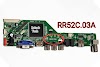
ST239-F3H is a Simple LCD LED TV Card/board. This TV card supported a FULL HD LED/LCD panel. This is not a combo TV card. A power supply module and a backlight driver module are required for it. over all it has all the new features as per requiredment.
Basic Info:
Model No. ST239-F3H
Main Chipset: TSUMV59XU-Z1/TSUMV29
Mark: Universal TV card
Resolution supported: (1920 X 1080)
Memory: 2/4MB
Sound IC: 1517P
File Name: .bin file
TV System: SECAM/PAL/NTSC
Panel Type: Single-channel or Dual-channel LVDS
Multi-Language OSD: Yes
Voltage for panel: DC+3.3V, DC+5V, DC+12V DC (jumping cap setting)
USB Port: Yes (Firmware install/Upgrade and Multimedia Playback Support)
IR Control: Yes

Input output ports:
PC: (Personal Computer)
HDMI: (High-Definition Multimedia Interface)
S-Video: (Separate Video)
AV: ( AUdio Video)
USB: (Universal Serial Bus)
VGA: (Video Graphics Array)
TV signal input: (Television)
It can also support headphone output.
Key Button Functions: CH-/CH+/MENU/VOL-/VOL+Souce/Power
USB File Format:
Audio (Mp3, wma, m4a/aac)
Video (avi, mp4, ts/trp, mkv/mov, mpg, dat, vob, rm/rmvb)
Picture (jpg, jpeg, bmp, png)
Text (text)
Factory Service Mode:
Menu 1147
How to Upgrade Firmware:
Step 1: Format the U disk in FAT32
Step 2: Copy the required resolution Bin file to the USB disk.
Step 3: Connect the USB drive to the Mainboard
Step 4: Connect the Keyboard and TV Mainboard
Step 5: Turn on the power supply, and check the keyboard light is blinking. Wait and watch for the LED light to turn Green. When it stops, the firmware is updated. Power of the supply.
For video tutorials, visit our YouTube channel ZAINABTECH and Facebook page ZAINABTECH92.
Disclaimer Note:
The following ST239-F3H Firmware/Software is a backup Dump file. And can be loaded by a programming tool. Team ZainabTech is not responsible for any type of loss/damage as a result of installing/uploading/downloading the software/firmware. If you are new in this field and do not have enough knowledge of installing SW/FW or dump files, then do not do this. And if you do this work, make sure that you know complete information about repairing LCD and LED TVs.



0 Comments